You can view attendance results and configure custom fields to request from your students on the Attendance page on the website.
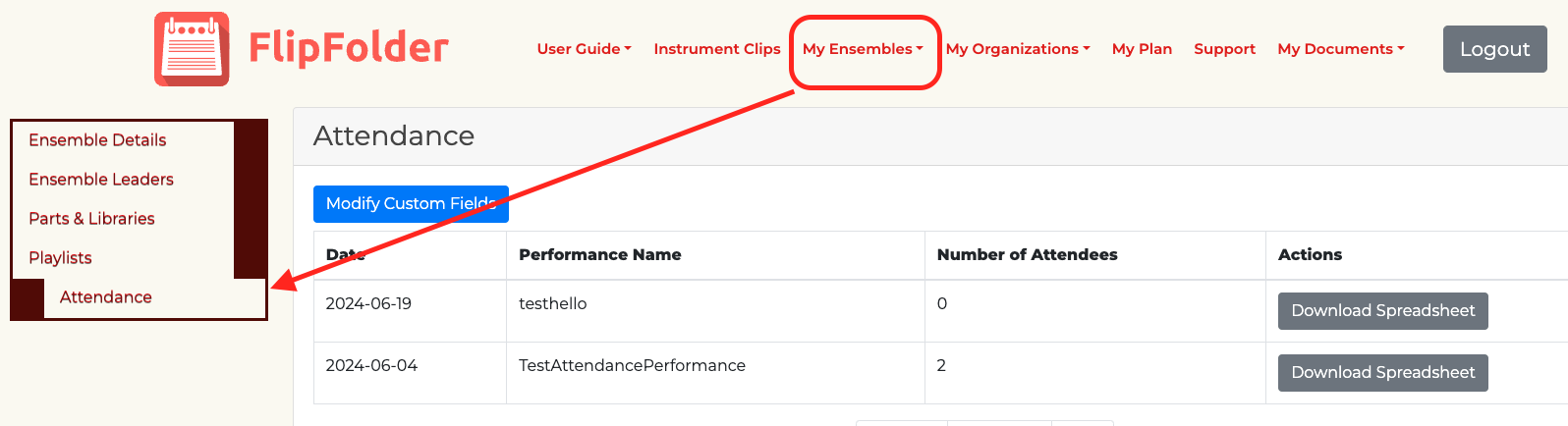
By default, students will always be asked to confirm their email and full name. However, you can request additional information from your students for attendance by selecting "Modify Custom Fields." For example: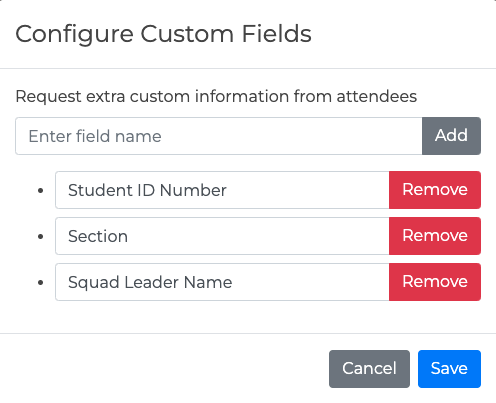
Custom field changes will only effect what is requested for future attendance, not any prior attendance records.
On this page, you can also download a spreadsheet of your prior attendance records. This spreadsheet will contain the performance name, Date, Full Name and Email of all attendees, and then whatever custom fields you had requested:

Was this article helpful?
That’s Great!
Thank you for your feedback
Sorry! We couldn't be helpful
Thank you for your feedback
Feedback sent
We appreciate your effort and will try to fix the article