Becoming an Ensemble Leader
Overview
An Ensemble Leader can control performances for the group, including starting and managing sessions. To become an Ensemble Leader, your device must be authenticated using a Leader Token.
Before You Begin
- Your device must be connected to an ensemble
- You must have a valid Leader Token, generated from the FlipFolder Director Dashboard.
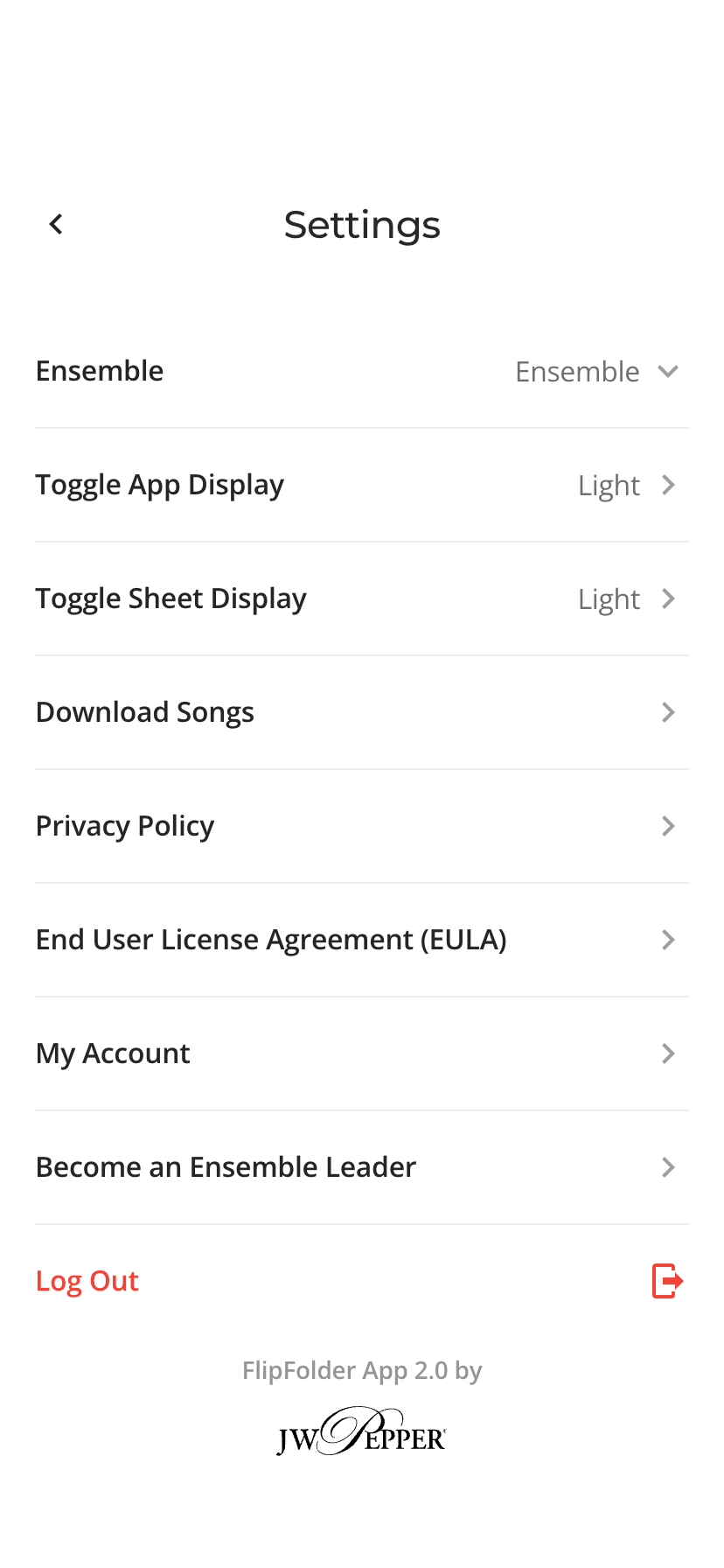
Steps to Become an Ensemble Leader
- Open the Tools Menu
- Select Settings from the Tools menu
- Select Become an Ensemble Leader
- Enter your Leader Token
- Tap OK
Once completed, your device will be authenticated as an Ensemble Leader.
What to Expect
- You will gain access to performance controls
- You will be able to start and manage performances for the ensemble
- Additional leadership options will become available within the app
Starting a Performance
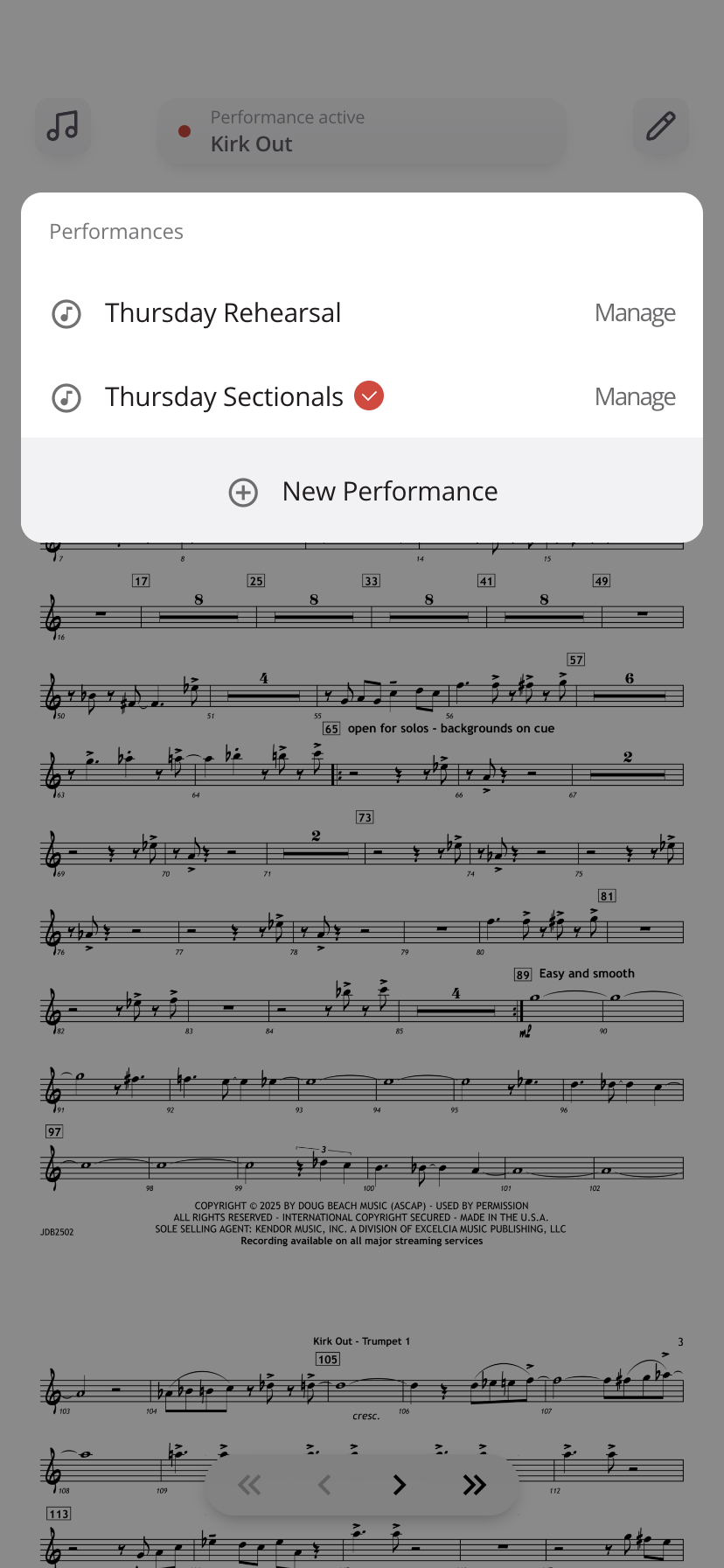
Once you are an Ensemble Leader:
- Open the Performance Status Bar at the top center of the screen
- Select Start Performance
- Enter a name for the performance
Notes
- Leader Tokens are created and managed through the FlipFolder Director Dashboard
- If your token doesn’t work, confirm it has not expired or already been used
- A leader token can only be used once
- Only authenticated devices can control performances
Was this article helpful?
That’s Great!
Thank you for your feedback
Sorry! We couldn't be helpful
Thank you for your feedback
Feedback sent
We appreciate your effort and will try to fix the article