Downloading Music
After connecting your device, you can download the music provided by your band leader.
Tip: Download your music in advance while you have a strong internet connection. Once downloaded, your music will be available offline for rehearsals and performances.
Download All Songs
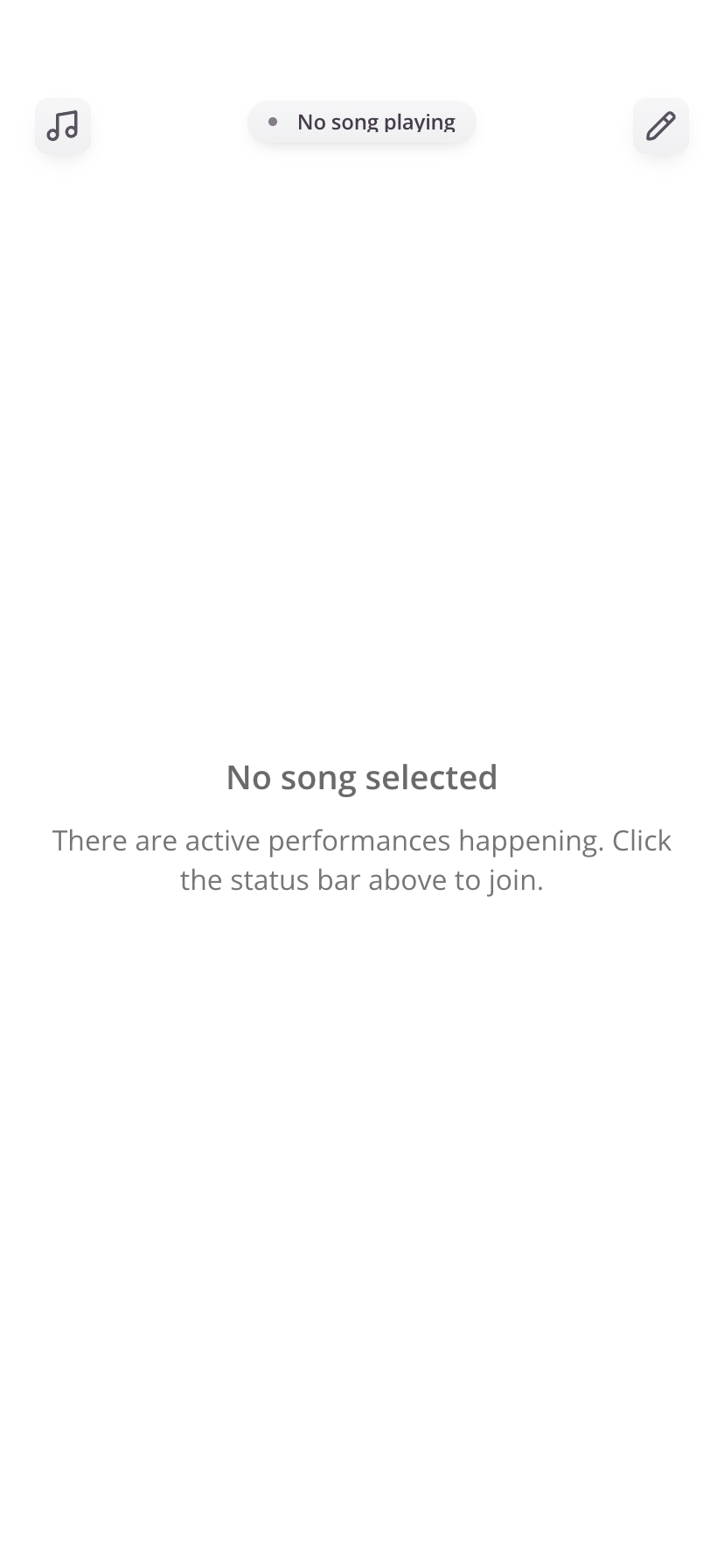
- From the dashboard, tap the pencil icon in the top-right corner to open the tools menu
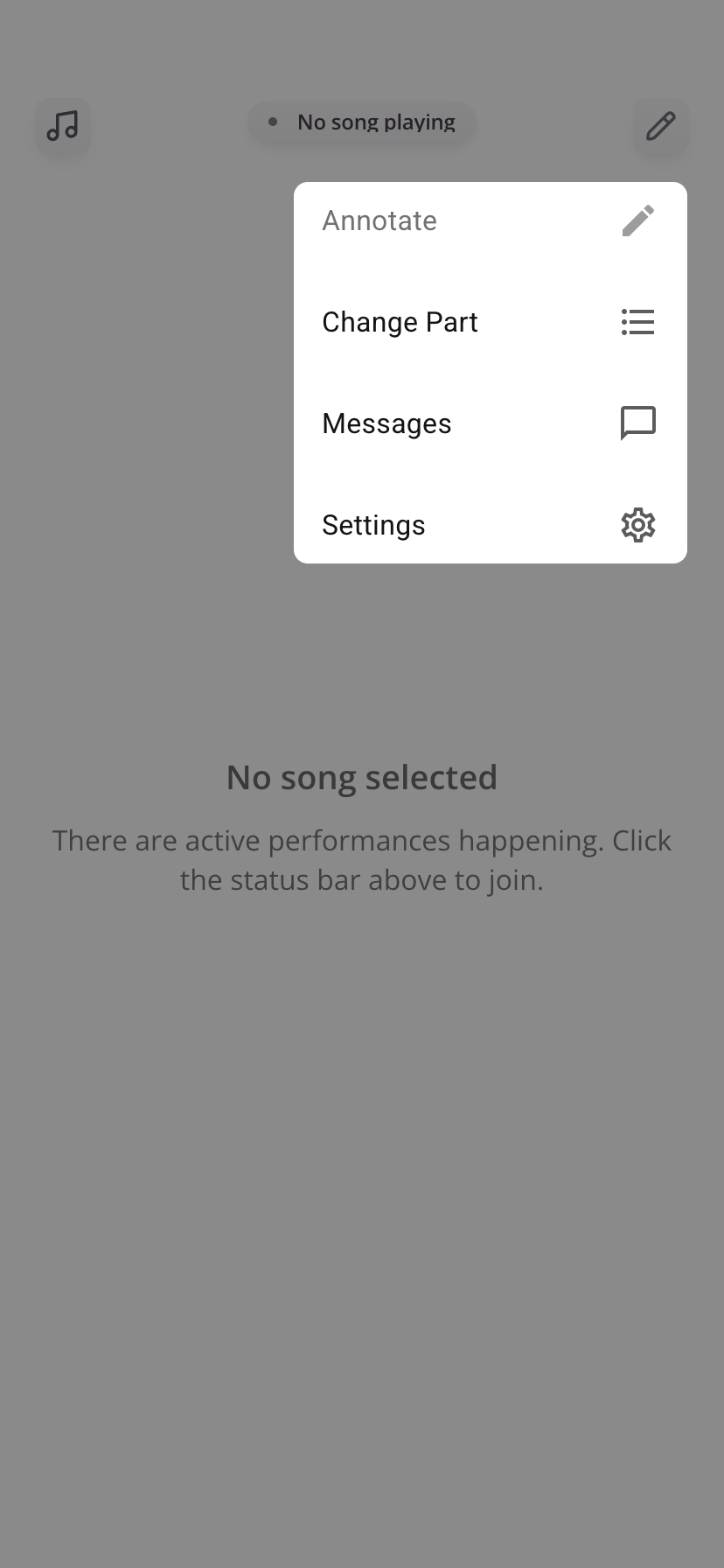
- Tap Settings
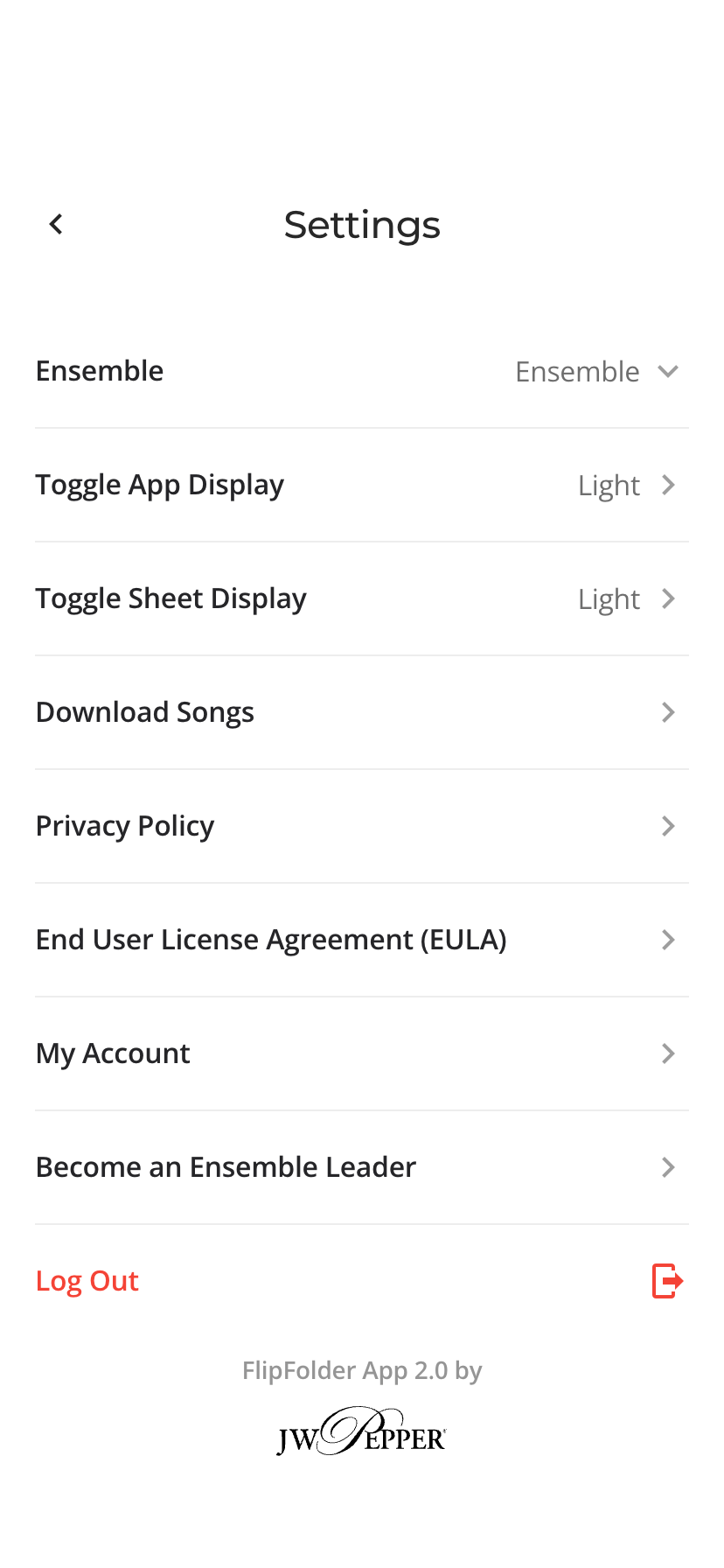
- Tap Download Songs
Notes
- Downloading may take a few minutes depending on your library size
- You only need to download once unless new music is added
- Newly added songs can be downloaded from the same menu
This will download all songs available to your ensemble onto your device.
Was this article helpful?
That’s Great!
Thank you for your feedback
Sorry! We couldn't be helpful
Thank you for your feedback
Feedback sent
We appreciate your effort and will try to fix the article