Leaving a Performance
Overview
Leaving a performance disconnects you from the live session and returns you to your standard browsing or ensemble view.
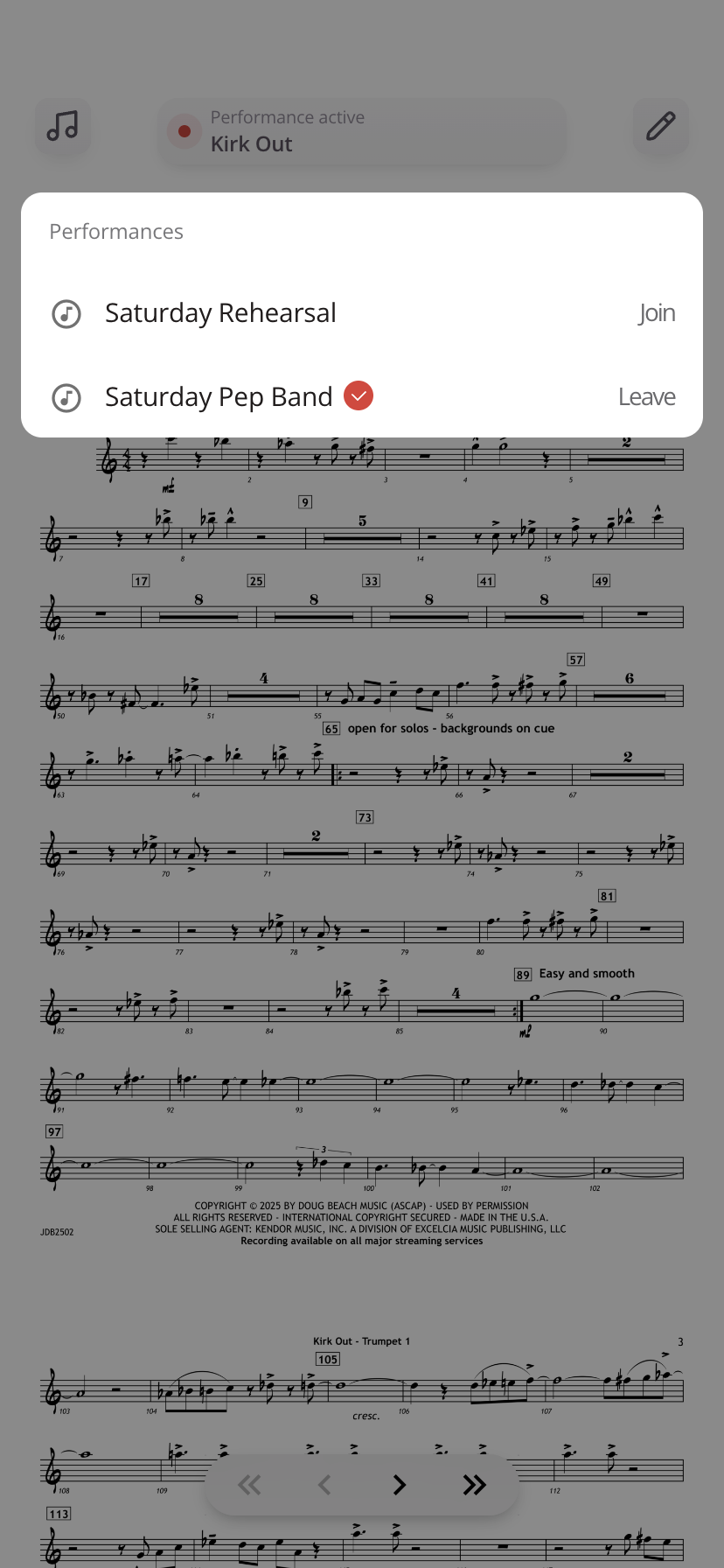
Steps to Leave a Performance
- Open the Performance Status Bar
- Tap Leave next to the performance you are currently in
This removes you from the active performance.
What to Expect
- You will stop receiving live updates and sync events
- Your screen will no longer follow group-controlled song changes
- You can browse music independently or join another performance
When to Leave a Performance
- After a rehearsal or performance ends
- When switching to a different ensemble
- If you accidentally joined the wrong performance
Tips
- Leaving does not delete the performance, you can rejoin later
- If you only need to switch sessions, change your performance instead of fully leaving
Was this article helpful?
That’s Great!
Thank you for your feedback
Sorry! We couldn't be helpful
Thank you for your feedback
Feedback sent
We appreciate your effort and will try to fix the article