Overview
Changing performances allows you to switch between active sessions so you can quickly join the correct performance for your ensemble.
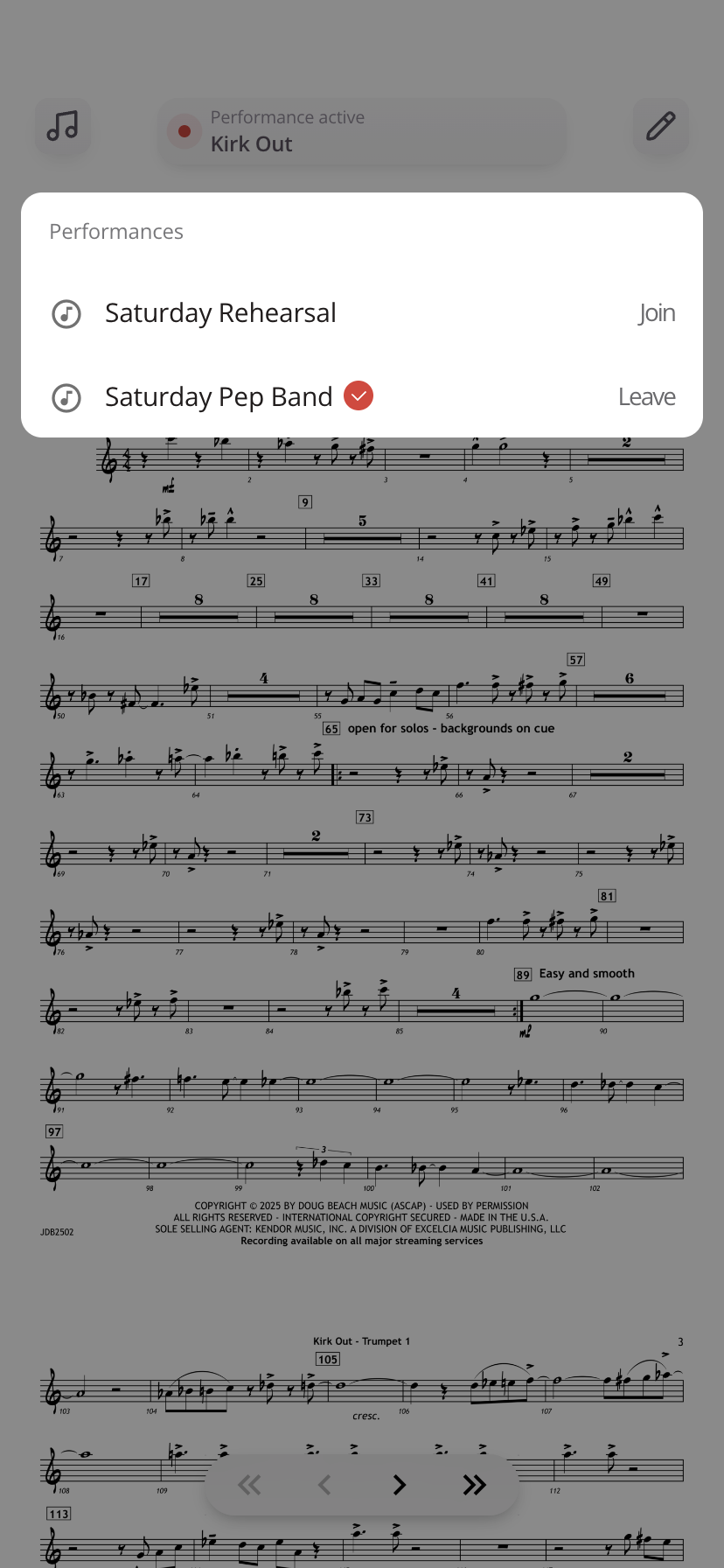
Steps to Change Performances
- Tap the performance status bar at the top center of your screen
- A list of available performances will appear
- Select the performance you want to join
- Tap Join
You will be switched into the selected performance immediately.
What to Expect
- The newly selected performance will load automatically
- Your view will sync with the active song for that performance
- Any previous performance connection will be replaced
Tips
- Use this option if you accidentally joined the wrong performance
- Switching performances is faster than leaving and rejoining manually
- Always confirm the performance name before joining, especially during live events
Was this article helpful?
That’s Great!
Thank you for your feedback
Sorry! We couldn't be helpful
Thank you for your feedback
Feedback sent
We appreciate your effort and will try to fix the article