1. Open the App
You'll land on the home page. If you're asked to sign up or sign in, click here first and then revisit this guide once you've finished installation and setup.

2. Open Settings
Tap the Pencil icon in the top right corner, and then click Settings
3. Open My Events
Tap "Event" on the Settings page. This will open up events that you have already joined.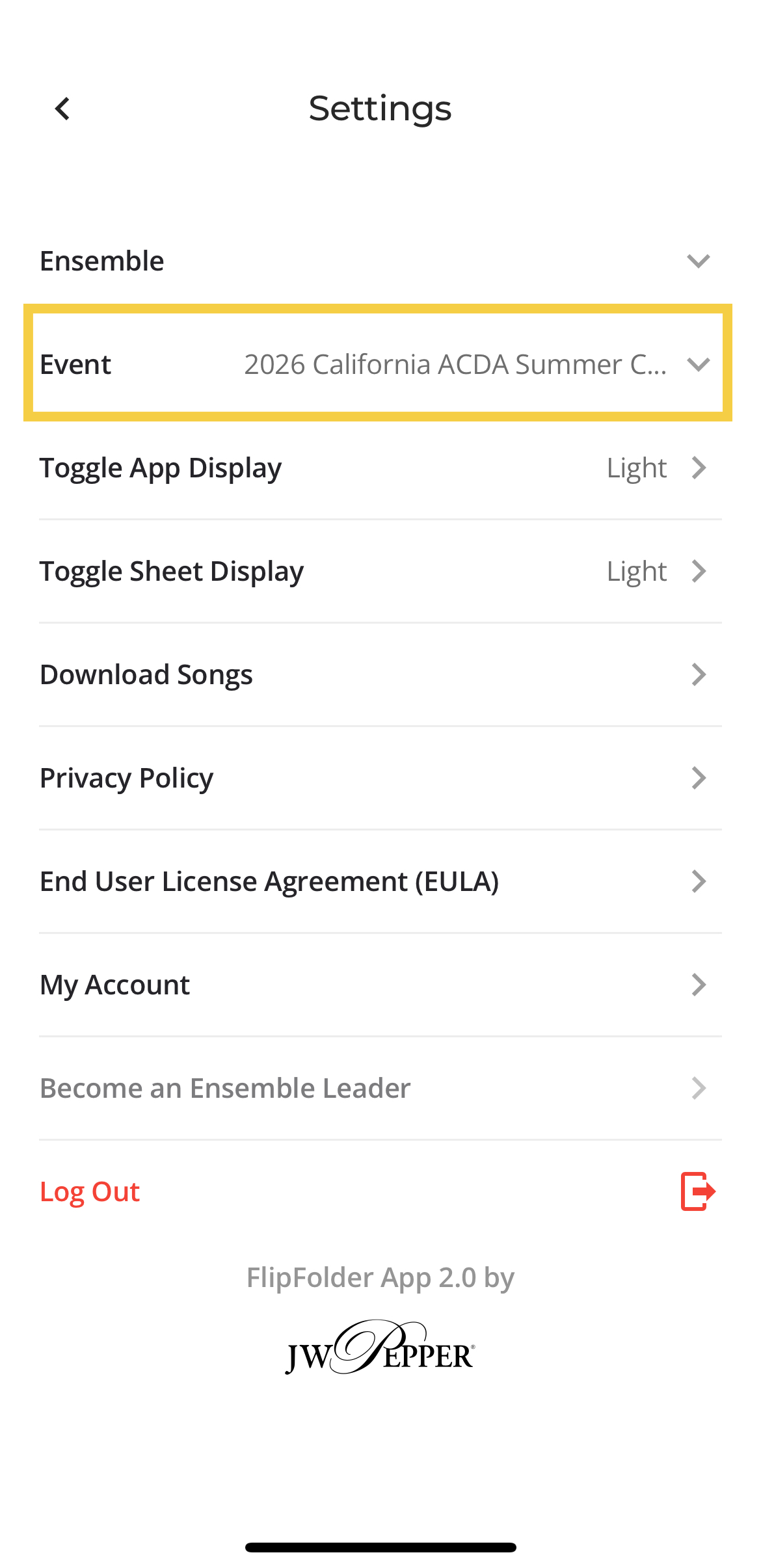
4. Add Event
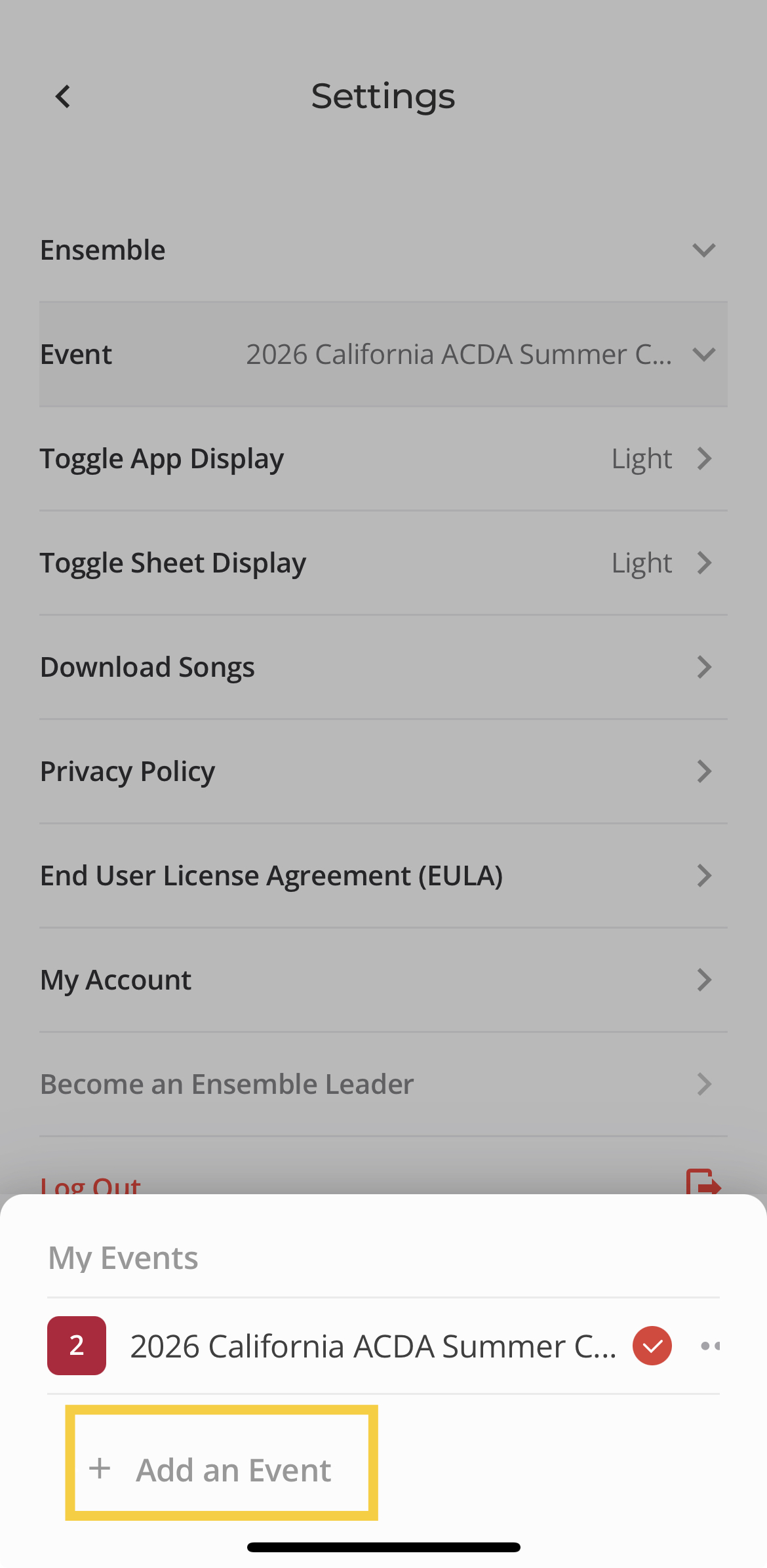
Tap "Add an Event" and type in the event code provided to you by your event clinician.
 5. Close Settings
After clicking "Join", you will automatically switch to the newly joined event. Click the back button in the top left corner to return to the home page.
Notes
- For more information on the tools menu, click here.
Was this article helpful?
That’s Great!
Thank you for your feedback
Sorry! We couldn't be helpful
Thank you for your feedback
Feedback sent
We appreciate your effort and will try to fix the article